
Roles
Who is allowed to do what.
A cashier who takes payments without seeing the bottom line. A finance director who approves without entering anything. An auditor who reads everything and writes nothing.
The role says what, the scope says where
Two separate mechanisms that never blur: the role carries the permissions, the scope says which entities and which projects, read or write. An action goes through when both allow it.
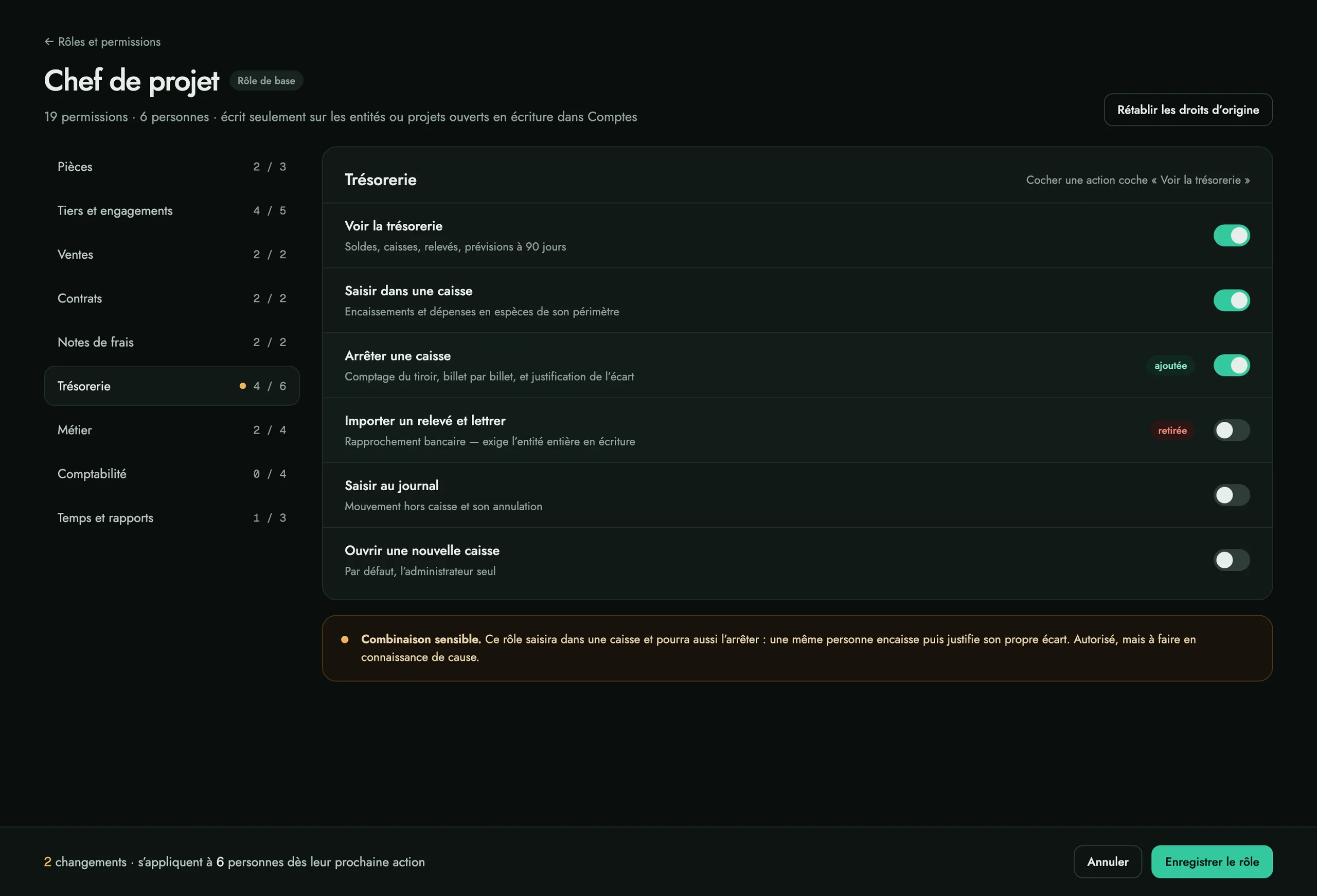
A read permission can only hide
It never grants more than the scope. A role without “see the accounts” has no Result block on its dashboard: every block follows the “see” of its own area.
The administrator always keeps everything
Nothing is taken away from them, or a client could lock themselves out. And sensitive combinations — taking cash then closing your own till — raise a warning, not a refusal: it is your organisation, not ours.
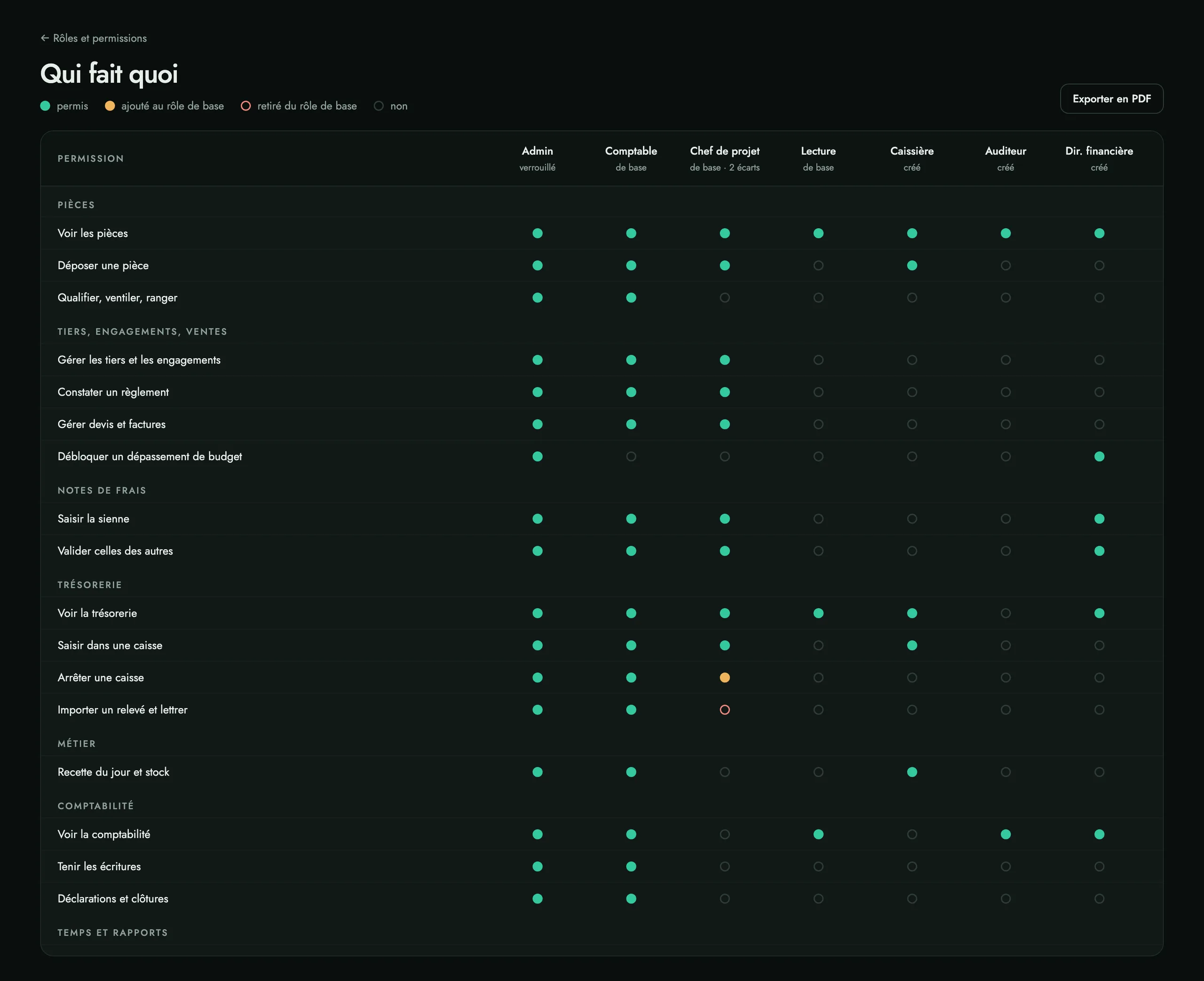
The matrix prints
Roles down, permissions across, read-only: it is the document an auditor or a statutory auditor asks for. Every change goes to the log — who, when, which permissions added or removed.
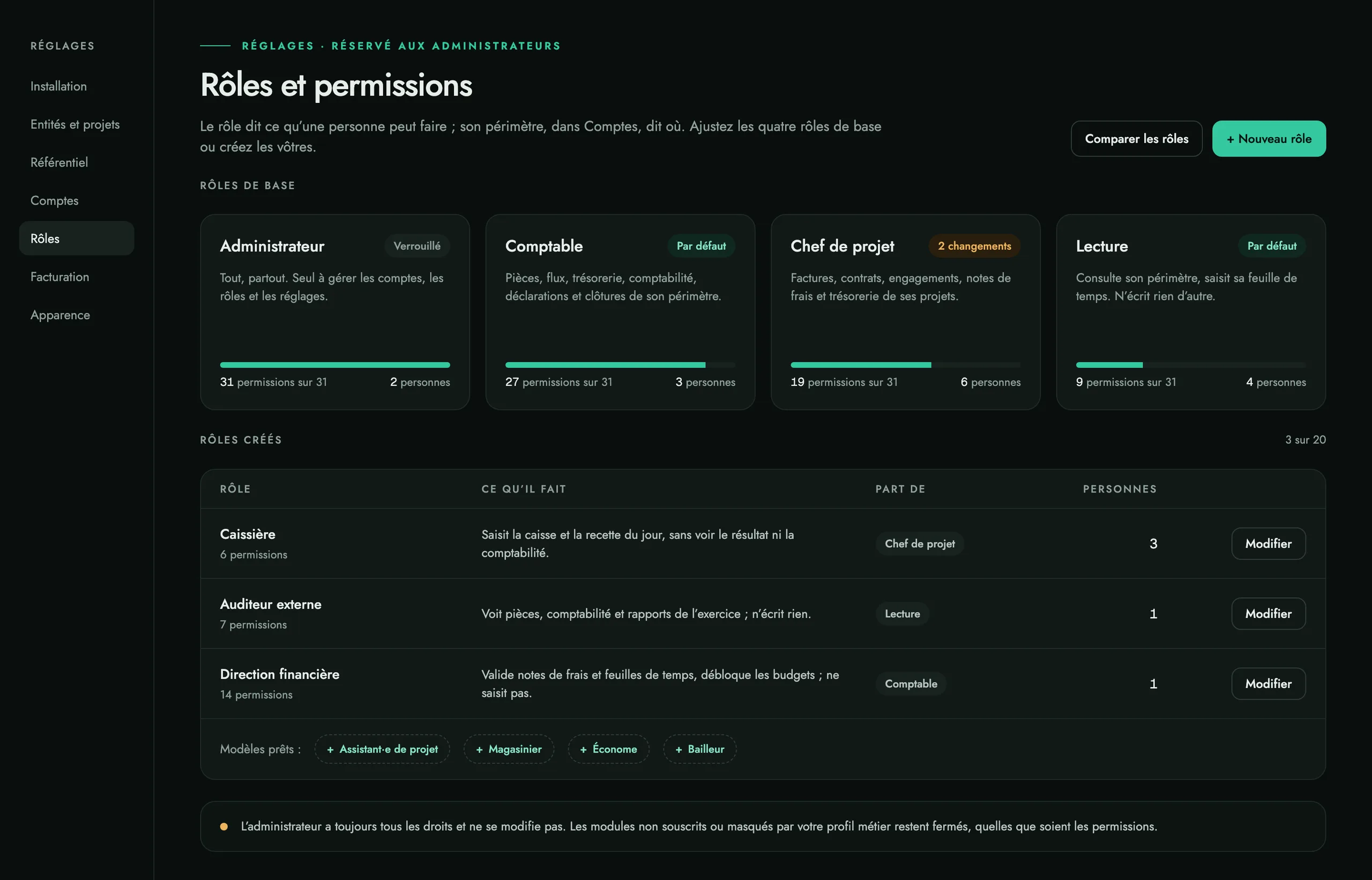
Ready-made templates, by plan and trade profile
- Manager
- Cashier
- Sales
- Stock keeper
- Bursar
- Engagement manager
- Accounting associate
- Practice client
- Finance director
- External auditor
Each is created in one click, then adjusted. Whatever the licence does not cover stays greyed out, with the reason: a role never opens a module you have not taken.
What we refused to build: a grid of a hundred and fifty boxes nobody understands. You adjust named permissions, never screens or buttons one by one.
A demonstration on your own documents.
Bring three receipts and a live project: we put them through in front of you. We reply within 48 h.